If your Chevy or GMC infotainment screen is acting haunted—random taps, dead areas, cracks, or a screen that looks fine but won’t respond—this guide breaks down what actually fails, why it fails, and how to confirm what you need before you order parts.
The #1 thing to understand: it’s usually not the whole radio
Dealers often quote $1,500–$3,000+ because they replace the entire head unit. But on most MyLink/IntelliLink 8" setups, the failure is isolated to the touch layer (digitizer), the LCD, or the bond between them—not the full infotainment computer.
When the image looks normal (menus, camera, icons) but touch is unreliable, it’s commonly a touch panel/digitizer problem. When the image is distorted, flickering, or black, it’s more likely the LCD or its connection.
Common symptoms Chevy/GMC owners report
- Ghost touch / phantom inputs: the screen “presses” buttons by itself
- Dead zones: touch works in some areas, not others
- Delayed response: noticeable lag or missed taps
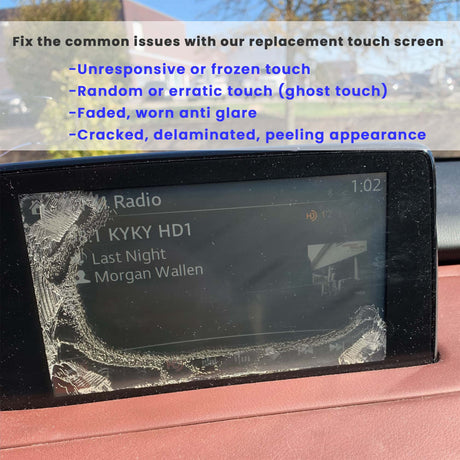
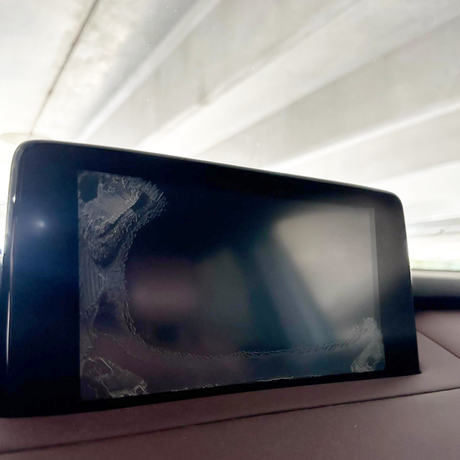
- Cracks or spidering: visible physical damage to the glass
- Bubbling / haze: cloudiness or “wet” look under the surface
- Black screen or lines: display image failure (LCD-related)
What actually causes 8" MyLink/IntelliLink screen failures?
1) Heat cycling + thermal stress (the slow killer)
Vehicle cabins are brutal for electronics. Repeated hot/cold cycles (summer heat, winter cold, and everything in between) expand and contract the layers of the display stack. Over time that stress can weaken bonds, fatigue connectors, and accelerate failure—especially if the screen already has a weak point.
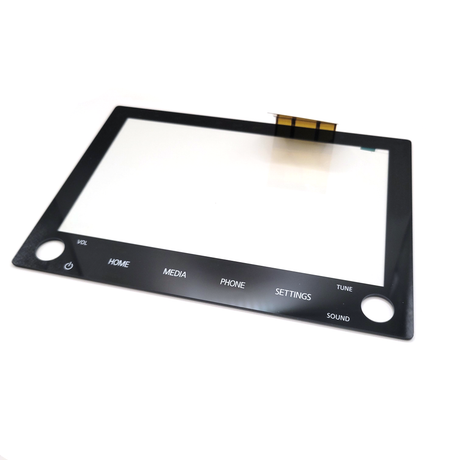
2) Digitizer wear: micro-cracks, delamination, and conductive degradation
The touch layer relies on very fine conductive traces. With age, pressure, vibration, and heat, those traces can degrade. The result looks like: ghost touch, random inputs, or dead zones even though the picture still looks normal.
Ghost touching often escalates. It can start as occasional mis-taps and progress to constant phantom presses that make the system unusable.
3) Adhesive / optical bonding breakdown
Most modern screens are built as a layered assembly. When the adhesive or optical bonding between layers breaks down, you may see: bubbles, haze, edge separation, or a “patchy” look that gets worse in heat.
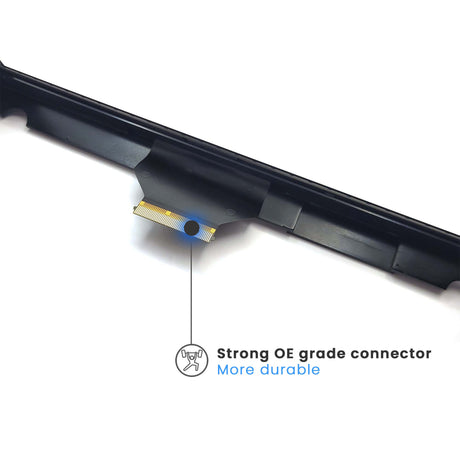
4) Connector fatigue or poor contact (intermittent failures)
Vibration plus temperature swings can create intermittent connector contact. That can show up as: flickering, screen cutting out, or sudden no-display issues that sometimes “come back” temporarily. If the problem changes when you hit bumps or after the cabin warms up, suspect connections or LCD signal stability.
5) Physical damage: cracks, pressure points, and cleaning mistakes
A cracked surface is obvious, but even without a visible crack, pressure points (phone mounts pushing on the screen, aggressive cleaning, hard presses) can damage the top layer. Harsh cleaners can also degrade coatings, leading to a worn or hazy appearance.
Digitizer vs LCD failure: a quick at-home check
If the image looks normal but touch is broken…
- Menus and backup camera display clearly
- Touch is inaccurate, delayed, or dead in spots
- Random “presses” happen without touching the screen
Most likely: digitizer/touch layer issue, or bonding issue.
If the image is distorted or missing…
- Black screen, white screen, colored lines, heavy flicker
- Screen powers on but shows no usable image
- Touch may or may not respond, but you can’t see what you’re doing
Most likely: LCD or LCD connection issue (sometimes part of a combined assembly).
Note: Some setups are serviced as an LCD + touchscreen assembly, which is why owners often choose the integrated replacement when diagnosis is uncertain or when both layers show symptoms.
When replacement is the smart move (vs “living with it”)
A failing touch layer isn’t just annoying—it can become a safety issue when the system starts changing settings on its own or interrupting navigation. If you’re experiencing consistent ghost touch, increasing dead zones, or repeated mis-inputs, it’s usually more cost-effective to fix it early rather than wait for complete failure.
Recommended fix: Chevy/GMC 8" MyLink/IntelliLink replacement (DJ080PA-01A)
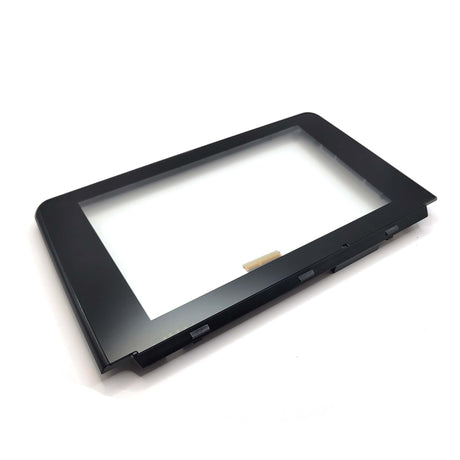
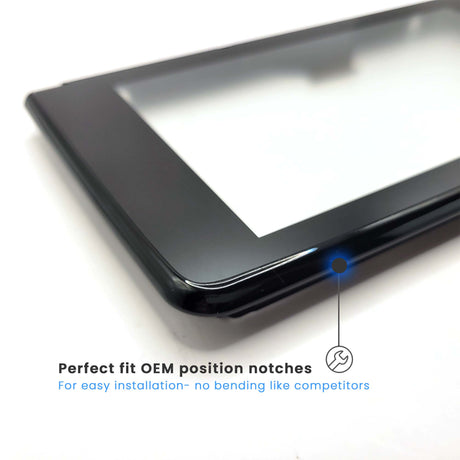
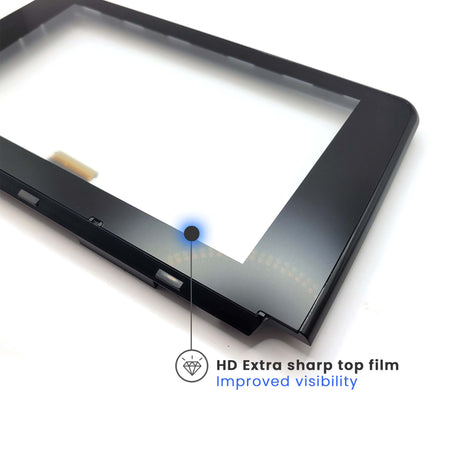
If your diagnostics point to the screen assembly (and especially if your symptoms include both touch issues and display artifacts), the Chevy/GMC 8" MyLink/IntelliLink LCD + Touchscreen Replacement – DJ080PA-01A is the purpose-built solution.
View the DJ080PA-01A LCD + Touchscreen Replacement
This approach avoids the dealership’s full head-unit replacement and restores factory functionality without changing your vehicle’s OEM system.
DIY or installer? What most owners choose
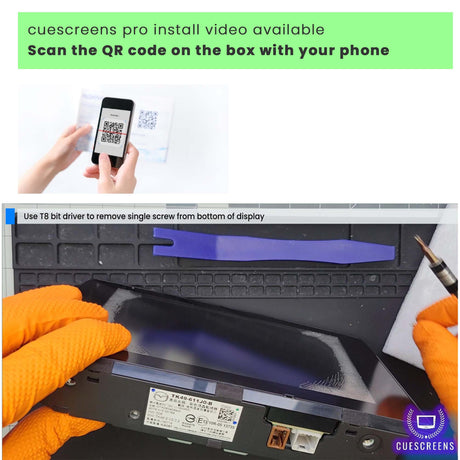
Many owners handle this as a DIY project if they’re comfortable with trim removal and careful connector handling. If you’d rather have it done professionally, using an experienced installer can reduce risk and save time.
For step-by-step help, see our support resources: Installation Guides
FAQ
Why does ghost touch get worse over time?
It’s often progressive degradation of the touch layer or bonding. Heat and vibration accelerate it, so intermittent issues can turn into constant phantom inputs.
Can I ignore it if the screen still “mostly works”?
You can, but ghost touches and dead zones typically worsen and can interfere with navigation, climate controls, and safety-related functions. Fixing it earlier often prevents a total failure scenario.
Do I need to replace the whole radio?
In many cases, no. If the system boots and audio works, the screen assembly is commonly the problem. Replacing the screen is usually far cheaper than a full head unit.
![[Premium] Upgraded Gel-Free Cadillac CUE Replacement Touch Screen Display-Cuescreens](http://www.cuescreens.com/cdn/shop/files/7c1892_b5fcaf040dfe42abb289e47b1fa91ab9_mv2.png?v=1738265347&width=460)


![[Premium] Upgraded Gel-Free Cadillac CUE Replacement Touch Screen Display-Cuescreens. Supports Proximity Sensors.](http://www.cuescreens.com/cdn/shop/files/7c1892_7faa9297eab444d5a99838357b9c178c_mv2.png?v=1764720901&width=460)




![[UAV] Upgraded Replacement UConnect 4C 8.4" Touch Screen LCD-Cuescreens](http://www.cuescreens.com/cdn/shop/files/7c1892_39d31a99d27142249a54dc8c5db59039_mv2.png?v=1738265302&width=460)
![[UAV] Upgraded Replacement UConnect 4C 8.4" Touch Screen LCD-Cuescreens](http://www.cuescreens.com/cdn/shop/files/7c1892_1d2de0c5af534f15b9efc0d12cd0ede0_mv2.png?v=1738265302&width=460)
![[UAV] Upgraded Replacement UConnect 4C 8.4" Touch Screen LCD-Cuescreens](http://www.cuescreens.com/cdn/shop/files/7c1892_26cfa8c289b84a1a90ed18424cecb9f3_mv2.png?v=1738265302&width=460)
![[UAV] Upgraded Replacement UConnect 4C 8.4" Touch Screen LCD-Cuescreens](http://www.cuescreens.com/cdn/shop/files/7c1892_79cc8ac0fc644e528dad4c1d9f34056b_mv2.png?v=1738265302&width=460)
![[UAV] Upgraded Replacement UConnect 4C 8.4" Touch Screen LCD-Cuescreens](http://www.cuescreens.com/cdn/shop/files/7c1892_f9ccc9102b704e09840c6e779ed0174a_mv2.png?v=1738265302&width=460)
![[UAV] Upgraded Replacement UConnect 4C 8.4" Touch Screen LCD-Cuescreens](http://www.cuescreens.com/cdn/shop/files/7c1892_45e709ea2b904fbfb336f5a0f13037eb_mv2.png?v=1738265302&width=460)
![[UAV] Upgraded Replacement UConnect 4C 8.4" Touch Screen LCD-Cuescreens](http://www.cuescreens.com/cdn/shop/files/7c1892_2e2e6883c8af4b4a8486f46f866a0a31_mv2.png?v=1738265302&width=460)
![[UAV] Upgraded Replacement UConnect 4C 8.4" Touch Screen LCD-Cuescreens](http://www.cuescreens.com/cdn/shop/files/7c1892_ae8a5b8697ae47fb94d0845d8561c55e_mv2.png?v=1738265302&width=460)
![[UAV] Upgraded Replacement UConnect 4C 8.4" Touch Screen LCD-Cuescreens](http://www.cuescreens.com/cdn/shop/files/7c1892_4776eff7a77944448fae498578f5fa10_mv2.png?v=1738265302&width=460)
![[UAV] Upgraded Replacement UConnect 4C 8.4" Touch Screen LCD-Cuescreens](http://www.cuescreens.com/cdn/shop/files/7c1892_369606fb7472491388959d6871b324d2_mv2.png?v=1738265302&width=460)