
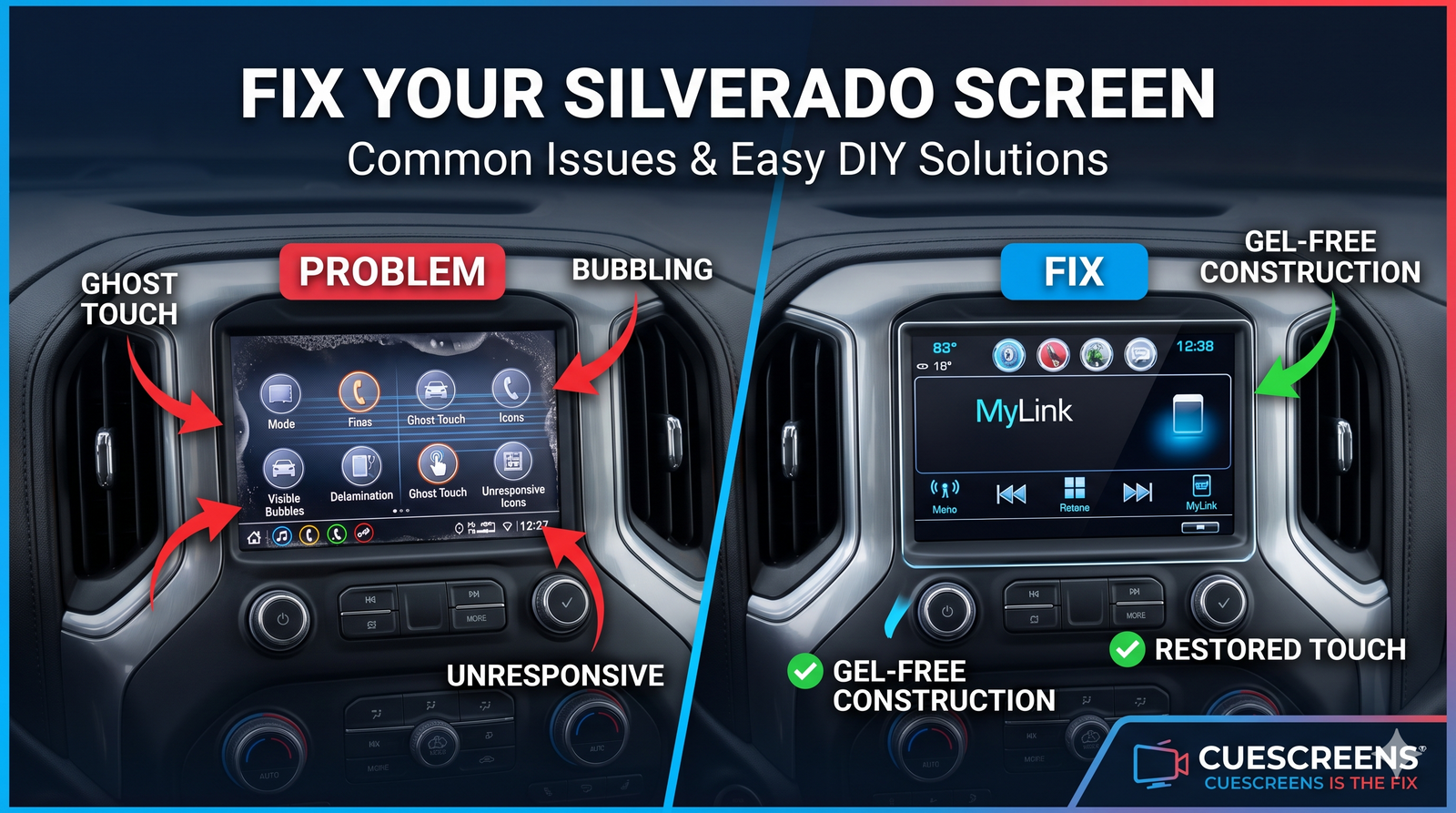
The 8-inch MyLink and IntelliLink touchscreen in the 2016–2021 Chevrolet Silverado is one of the most widely reported infotainment failure points across the entire GM truck lineup. Ghost touch, frozen screens, dead zones, bubbling, and complete loss of touch response are all common complaints — and they all have the same underlying cause. More importantly, they all have a fix that does not involve replacing the head unit.
The Most Common Silverado Touchscreen Problems
Silverado owners with 2016–2021 model years report a consistent set of screen failures. They tend to start subtle and worsen progressively:
- Ghost touch: The screen presses buttons, changes audio sources, opens menus, or dials contacts without any input from the driver. Usually starts intermittently and becomes constant over weeks or months.
- Unresponsive areas or dead zones: Specific parts of the screen stop responding to touch — often the home button, volume control, or keyboard area — while other zones continue to work normally.
- Complete loss of touch: The screen displays a normal image but registers no touch input at all. The radio works, Bluetooth connects, backup camera functions — only the touch layer is dead.
- Screen freezing: The infotainment system locks up mid-use, often when switching apps, accessing the backup camera, or during startup. Sometimes resolves with a restart, sometimes does not.
- Bubbling or delamination: Haze, bubbles, or visible separation along the edges or across the face of the screen. Often accompanied by touch failures in the same areas.
- Lines, dark spots, or image degradation: Vertical or horizontal lines running through the display, areas of darkness or discoloration, or washed-out color. These indicate LCD degradation rather than digitizer failure alone.
Most of these failures are related. They share a common origin in the screen assembly, and understanding that origin makes the correct repair path obvious.
The Root Cause: Why the MyLink Screen Fails
The 8-inch MyLink and IntelliLink screen in the 2016–2021 Silverado uses a display assembly built around the DJ080PA-01A LCD panel. This assembly consists of two bonded components: the LCD that generates the image and the digitizer that detects touch. Between them is an optical adhesive that holds the layers together and maintains the electrical relationship that capacitive touch detection relies on.
That adhesive is the weak point. In the original factory assembly, a gel-based adhesive compound was used. Gel adhesive performs adequately under normal consumer electronics conditions, but vehicles are not normal consumer electronics environments. Dashboard temperatures in direct sunlight regularly exceed 150 degrees Fahrenheit. The repeated expansion and contraction of a screen assembly across thousands of heat cycles breaks the gel adhesive down over time. It shifts, degrades, and eventually fails — creating air gaps between the layers that disrupt touch detection, cause bubbling and delamination, and produce the ghost touch and dead zone symptoms Silverado owners report.
The head unit behind the screen is not involved in this failure. The radio, navigation processor, Bluetooth module, and all associated software are unaffected by adhesive breakdown in the screen assembly. A screen that is ghost-touching or dead is almost always connected to a head unit that is working correctly.
Year-by-Year Breakdown (2016–2021)
| Model Year | System | Most Common Issues Reported | Notes |
|---|---|---|---|
| 2016–2017 | MyLink | Ghost touch, bubbling, dead zones | Oldest units in this generation; highest rate of adhesive failure by mileage |
| 2018 | MyLink | Ghost touch, intermittent freeze, delamination | Same platform as 2016–2017; failures appearing as vehicles pass the 6–7 year mark |
| 2019 | IntelliLink / GM Infotainment | Unresponsive touch, ghost touch, software freezes | Transition year; same screen platform, updated software layer |
| 2020–2021 | GM Infotainment | Intermittent touch failure, ghost touch beginning to appear | Younger units; failures emerging earlier in ownership on high-use vehicles |
How to Reset a Silverado MyLink Screen
Before concluding that the screen hardware has failed, a reset is always worth attempting. A software crash or frozen process can produce symptoms that look identical to hardware failure — complete unresponsiveness, no touch registration — and a reset resolves software issues in seconds.
Soft Reset: 2016–2018 Silverado
Press and hold the Home button and the Fast Forward button simultaneously. Hold both for at least 10 seconds until the screen goes dark and the system begins to reboot. Release and allow the system to complete its startup sequence before testing touch.
Soft Reset: 2019–2021 Silverado
Turn the vehicle fully off and back on. The updated GM infotainment software in these model years reboots cleanly on a full power cycle. Allow the system to complete its startup sequence before testing touch.
Hard Reset: All Years
Turn the vehicle off and disconnect the negative battery terminal. Wait at least 10 minutes to allow the system to fully discharge. Reconnect and restart. This clears volatile system memory and forces a full cold boot — resolving software issues that a soft reset cannot reach.
If touch is restored after a reset and stays restored, the cause was software. If the problem returns within days, or if touch never came back at all after a hard reset, the cause is hardware.
Software vs. Hardware: How to Tell the Difference
| Symptom | More Likely Software | More Likely Hardware |
|---|---|---|
| Touch fails across the whole screen at once | Yes — sudden whole-screen failure is often a crash | Possible if digitizer fails completely |
| Touch fails in specific zones only | No | Yes — localized failure is always digitizer |
| Reset restores touch and it stays working | Yes | No |
| Reset restores touch but failure returns within days | No | Yes |
| Ghost touch present | Rarely | Yes — ghost touch is always hardware |
| Bubbling or delamination visible | No | Yes — always hardware |
| Lines or dark spots in the image | No | Yes — LCD degradation |
| Problem worse in hot weather | Rarely | Yes — heat sensitivity is a digitizer indicator |
When the Screen Is Completely Black
A completely black Silverado screen with no image and no backlight is not a digitizer problem. Start here:
- Check the fuses. The infotainment display has a dedicated fuse. Consult your owner's manual, locate it, and inspect it before assuming component failure.
- Attempt a hard reset. Some black screen conditions caused by software or memory errors resolve with a full battery disconnect.
- Check for a loose connector. If the screen went black immediately after any electrical work, battery replacement, or dash removal, a dislodged ribbon cable or power connector is a likely cause.
- Assess the LCD. If none of the above applies and audio is still working through the system, the LCD assembly has likely failed and needs to be replaced.
Digitizer Only or Full Assembly? Choosing the Right Fix
Cuescreens offers two replacement options for the 2016–2021 Silverado MyLink and IntelliLink system. Choosing the right one depends on what the screen is doing.
Option 1: Digitizer-Only Replacement
The Cuescreens 8-inch MyLink/IntelliLink Digitizer replaces the touch glass layer only, leaving the existing LCD in place.
Choose this option if:
- The screen image is clear, sharp, and normal
- The only problem is touch: ghost touch, dead zones, unresponsive areas, or complete loss of touch input
- The glass is cracked but the LCD beneath it is undamaged
Option 2: Complete LCD and Digitizer Assembly
The Cuescreens 8-inch MyLink/IntelliLink LCD and Touchscreen Assembly replaces both the LCD and the digitizer in a single pre-bonded unit with an upgraded QuantumCore chip. True plug and play — no scraping adhesive, no separating layers.
Choose this option if:
- The image has lines, dark spots, flickering, washed-out color, or areas of discoloration
- The screen has touch failures alongside visible image degradation
- A previous digitizer-only repair did not resolve all the symptoms
- You want the most comprehensive repair in a single step
| Factor | Digitizer Only | LCD + Digitizer Assembly |
|---|---|---|
| What it replaces | Touch layer only | Touch layer and display |
| Fixes ghost touch and dead zones | Yes | Yes |
| Fixes lines and image degradation | No | Yes |
| QuantumCore upgraded chip | No | Yes |
| Pre-bonded assembly | No | Yes |
| Programming required | No | No |
| Gel-free construction | Yes | Yes |
| Warranty | 2-year standard | 2-year standard, Lifetime upgrade available |
Neither option requires programming. Both are DIY-friendly with basic tools and Cuescreens' step-by-step installation guidance. Professional installation is also available through Cuescreens' nationwide network of over 2,000 installers.
Cost Comparison: Dealer vs. Cuescreens
| Factor | Dealer Head Unit Replacement | Cuescreens Digitizer Only | Cuescreens Full Assembly |
|---|---|---|---|
| Typical cost | $800–$1,500+ | Lower cost | $199 |
| What gets replaced | Entire head unit | Touch glass only | LCD and touch glass |
| Programming required | Yes | No | No |
| Addresses root cause | Yes, but overkill | Yes — for touch failures | Yes — for touch and image failures |
| DIY-friendly | No | Yes | Yes |
| Gel-free construction | No | Yes | Yes |
Compatible Vehicles
Both Cuescreens replacement options are compatible with GM vehicles equipped with the 8-inch MyLink or IntelliLink system using the DJ080PA-01A display platform:
- Chevrolet Silverado 1500, 2500, 3500 (2016–2021)
- Chevrolet Tahoe (2016–2021)
- Chevrolet Suburban (2016–2021)
- Chevrolet Colorado (2016–2021)
- GMC Sierra 1500, 2500, 3500 (2016–2021)
- GMC Yukon / Yukon XL (2016–2021)
- GMC Canyon (2016–2021)
- GMC Acadia (2016–2021)
Always compare your factory screen and OEM part number before ordering. Compatible LCD part numbers for this platform include DJ080PA-01A and DJ080EA-01K.
Frequently Asked Questions
Why is my Chevrolet Silverado touchscreen not working?
The most common causes are a failing digitizer, a software crash, or LCD degradation. If the screen shows a clear image but does not respond to touch, the digitizer has failed. If the screen is black, start with fuses and the battery connection. In both cases, the head unit is almost always still functional.
What causes ghost touch on the Chevy Silverado MyLink screen?
Ghost touch on the 2016–2021 Silverado is caused by a degrading digitizer. As the touch layer breaks down from heat, UV exposure, and age, it generates phantom inputs. This is a hardware failure that will not be resolved by a reset or software update. The digitizer needs to be replaced.
How do I reset a 2016–2021 Chevrolet Silverado MyLink screen?
For 2016–2018 models, press and hold Home and Fast Forward simultaneously for 10 seconds. For 2019–2021 models, turn the vehicle fully off and back on. If the issue persists, disconnect the negative battery terminal for 10 minutes for a full hard reset.
Do I need to replace the whole head unit if my Silverado screen stops working?
In most cases, no. Silverado screen problems are almost always caused by the screen assembly itself, not the head unit. Replacing the digitizer only or the complete LCD and digitizer assembly restores full function without programming.
What is the difference between replacing the digitizer and replacing the full LCD and digitizer assembly?
The digitizer-only replacement addresses touch failures when the image is still clear. The complete LCD and digitizer assembly replaces both layers and is the correct choice when the image also has lines, spots, flickering, or other visual defects alongside touch failures.
What other GM vehicles use the same screen as the Silverado?
The same DJ080PA-01A display platform is used across the GMC Sierra, Canyon, Yukon, and Acadia, as well as the Chevrolet Tahoe, Suburban, and Colorado equipped with 8-inch MyLink or IntelliLink systems from the same era.
![[Premium] Upgraded Gel-Free Cadillac CUE Replacement Touch Screen Display-Cuescreens](http://www.cuescreens.com/cdn/shop/files/7c1892_b5fcaf040dfe42abb289e47b1fa91ab9_mv2.png?v=1738265347&width=460)


![[Premium] Upgraded Gel-Free Cadillac CUE Replacement Touch Screen Display-Cuescreens. Supports Proximity Sensors.](http://www.cuescreens.com/cdn/shop/files/7c1892_7faa9297eab444d5a99838357b9c178c_mv2.png?v=1764720901&width=460)









