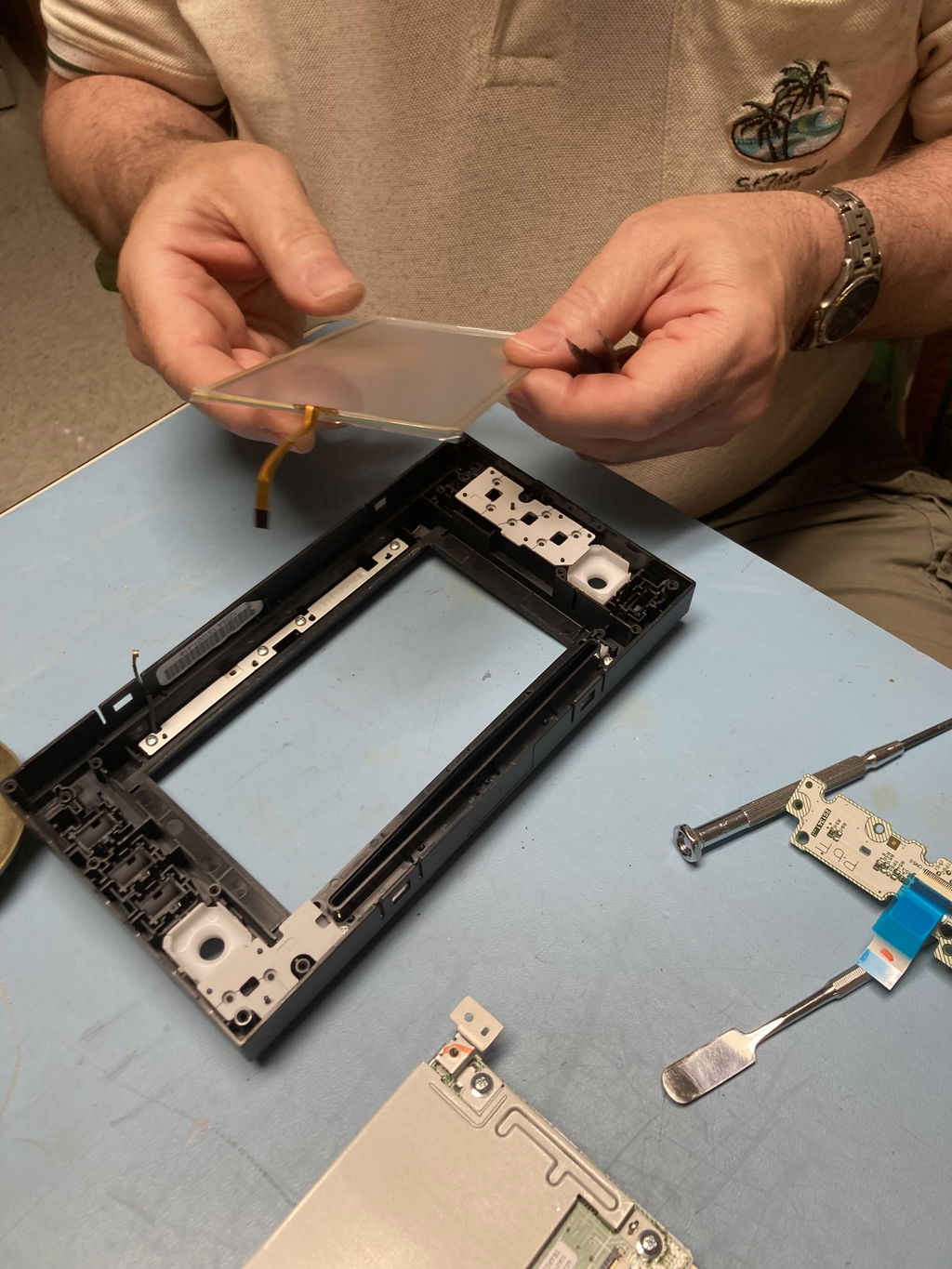
Toyota 6.1" Radio Touchscreen Digitizer Glass (Panasonic) | 2012–2019 Select Models
Toyota 6.1" Radio Touchscreen Digitizer Glass (Panasonic) | 2012–2019 Select Models is backordered and will ship as soon as it is back in stock.
Description
Description
Restore full touchscreen control without replacing your entire radio. This precision-fit Cuescreens digitizer is designed for Toyota vehicles equipped with 6.1" Panasonic infotainment systems experiencing ghost touch, unresponsive input, or surface damage.
When these screens fail, dealerships often recommend replacing the entire head unit, a repair that can cost $1,000–$2,500+. In most cases, the issue is simply the touchscreen digitizer, not the LCD or radio itself.
This upgraded replacement restores smooth, accurate touch response while keeping your original display and factory system intact. Built with tempered glass, a scratch-resistant surface, and OE-grade connectors, it delivers long-term reliability and factory-level performance at a fraction of the cost.
What Issues Will This Product Fix
This replacement digitizer is designed to correct:
- Ghost touches or random screen inputs
- Frozen or unresponsive touchscreen
- Cracked, scratched, or worn glass
- Bubbling or peeling along the screen edges
- Faded or worn anti-glare coating
- Inaccurate or intermittent touch response
Quick Feature Summary
- Precision-fit digitizer for Toyota 6.1" Panasonic radio screens
- Compatible with 8-pin ribbon cable configurations
- Tempered glass for improved durability and touch accuracy
- Proprietary gel-free bonding design to prevent bubbling and delamination
- HD scratch-resistant surface for long-term clarity
- OE-grade ribbon connector for reliable communication
- High-precision touch sensors for accurate response
- Restores full touchscreen functionality using your existing LCD
- No programming or dealer visit required
- 2-year warranty with Lifetime upgrade option
- DIY friendly or professional install available
Why This Digitizer Is Different
- Designed for Panasonic Toyota Systems – Engineered specifically for Toyota radios built by Panasonic to ensure proper fit, responsiveness, and reliability.
- Precision Glass Touch Layer – Delivers accurate, consistent touch response with improved durability over worn factory screens.
- Cost-Effective Repair Solution – Replace only the failed touch layer instead of replacing the entire infotainment system.
- OE-Matched Fit & Finish – Built to match factory dimensions, connectors, and appearance for seamless integration.
Why Choose Cuescreens for your Toyota 6.1” Panasonic screen
Cuescreens focuses exclusively on premium automotive touchscreen replacement.
- Trusted by installers and repair facilities nationwide
- Vehicle-specific replacement designs
- Carefully tested components for long-term durability
- Standard 2-year warranty with Lifetime upgrade option
- Installation resources and video guides available
- Secure packaging to prevent shipping damage
- U.S.-based support team
- Nationwide installer network if you prefer professional installation
What Issues Will This Product Fix
Compatible vehicles and systems
Designed for Toyota vehicles equipped with 6.1” Panasonic infotainment systems.
Compatible vehicles include:
- 2014–2019 Toyota 4Runner
- 2014–2019 Toyota Tacoma
- 2014–2017 Toyota Tundra
- 2014–2016 Toyota Avalon
- 2012–2013 Toyota Corolla
- 2012–2013 Toyota Highlander
Important Fitment Notes:
- This listing is for 6.1” Panasonic systems only
- Not compatible with 7”, 8”, or non-Panasonic radios
- This product replaces the digitizer only (not the LCD)
- Helpful Identification Tip - Panasonic units often have faceplate ID numbers that begin with “5” (example: 570805)
Always verify your screen size, connector type, and radio manufacturer before ordering.
DIY Friendly with Professional Options
This digitizer can be installed using basic tools and our step-by-step video instructions. Installation requires careful handling of the screen components and is typically completed in about 45–60 minutes by most DIY customers.
Prefer professional installation? We work with a nationwide network of over 2,000 installers.
Delivery and Shipping
Delivery and Shipping
Free Ground Shipping
We offer free standard ground shipping on all orders over $75 USD within the continental United States.
Processing & Delivery Times
- Orders are processed within 1-2 business days (Monday–Friday, excluding holidays).
- Standard ground shipping typically takes 3-7 business days after the order has been processed.
- Orders placed after 2:00 PM EST will be processed the following business day.
Warranty
Warranty
At Cuescreens, we stand behind the quality of our products. Every purchase comes with a standard 2-year warranty, giving you confidence and peace of mind. Upgrade to our Lifetime Warranty for long-term coverage and worry-free ownership.
DIY Installation
DIY Installation
Our screens can be self installed, and we'll guide you through step by step
Or if you would prefer a professional to install it for you, you can find them using this search.

Toyota 6.1" Radio Touchscreen Digitizer Glass (Panasonic) | 20...
Need professional installation? We’ve got you covered.
Not planning to install your screen yourself? No problem. We work with a nationwide network of over 2,000 professional installers, so you can easily find trusted help near you.
Find a Local InstallerDisclaimer: Installations are performed by independent third-party providers. Cuescreens® does not guarantee or warrant their services. Please review our Installation Disclaimer.
Payment & Security
Payment methods
Your payment information is processed securely. We do not store credit card details nor have access to your credit card information.