
If your car’s infotainment screen suddenly goes black, stops responding, or won’t turn on at all, you’re probably wondering: is it just a blown fuse—or is the screen actually dead?
This is one of the most common (and confusing) issues drivers face. The symptoms can look similar, but the fixes—and costs—are very different.
This guide will walk you through exactly how to diagnose the problem so you don’t waste time or money.
Blown Fuse vs. Dead Screen: What’s the Difference?
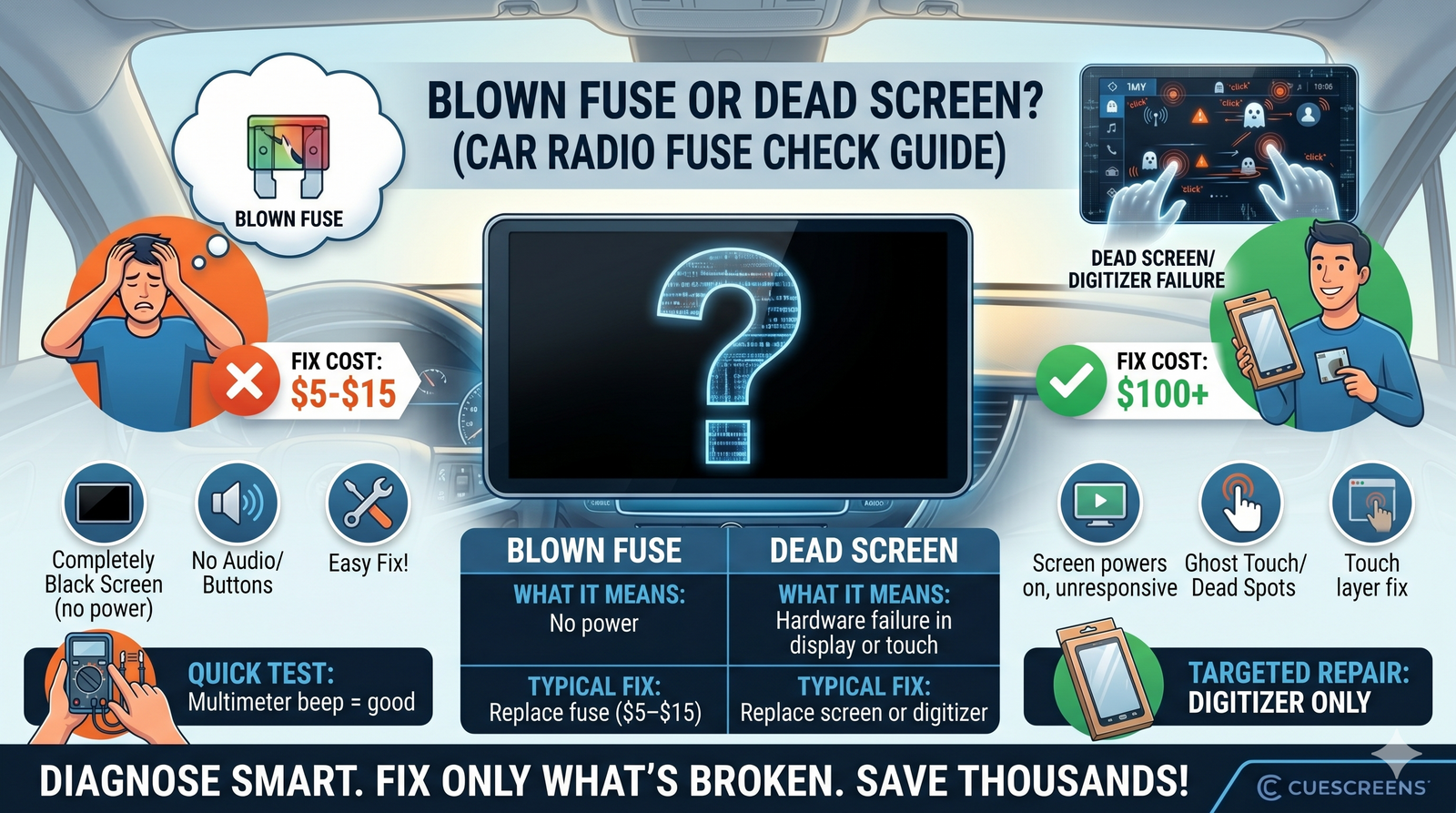
| Issue | What It Means | Typical Fix |
|---|---|---|
| Blown Fuse | No power reaching the system | Replace fuse ($5–$15) |
| Dead Screen / Digitizer Failure | Hardware failure in display or touch layer | Replace screen or digitizer |
Understanding which one you’re dealing with is the key to fixing it correctly.
Signs Your Infotainment Fuse Is Blown
A blown fuse cuts power to your infotainment system entirely. Look for these signs:
- Screen is completely black (no backlight at all)
- No audio from radio, Bluetooth, or media
- Buttons don’t respond (physical or touch)
- Backup camera doesn’t activate
- No startup logo or boot screen
If everything is dead, a fuse issue is very likely.
Signs Your Screen Is NOT a Fuse Issue
If your system still shows signs of life, the fuse is probably fine. Watch for:
- Screen turns on but is unresponsive
- Ghost touch (random inputs)
- Dead spots on certain areas of the screen
- Display works but touch doesn’t
- Screen flickers, freezes, or glitches
These point to a digitizer or display issue, not a fuse.
How to Check Your Car Radio Fuse (Step-by-Step)
Step 1: Locate the Fuse Box
Most vehicles have two fuse boxes:
- Under the dashboard (driver side)
- Under the hood
Check your owner’s manual for the exact location.
Step 2: Identify the Infotainment Fuse
Look for labels like:
- “RADIO”
- “INFOTAINMENT”
- “ACC” (Accessory)
- “DISPLAY”
Step 3: Remove the Fuse
Use a fuse puller or needle-nose pliers to carefully remove it.
Step 4: Inspect the Fuse
A blown fuse will usually have:
- A broken metal strip inside
- Burn marks or discoloration
Step 5: Replace If Needed
Swap it with a fuse of the same amperage rating. Never use a higher-rated fuse.
Quick Multimeter Test (Optional but Accurate)
If you want to be 100% sure, use a multimeter:
- Set to continuity mode
- Touch probes to both ends of the fuse
- No beep = blown fuse
- Beep = fuse is good
What If the New Fuse Blows Again?
If your replacement fuse blows immediately, you likely have a deeper issue:
- Short circuit in wiring
- Faulty head unit drawing too much power
- Water or moisture damage
In this case, further diagnosis is needed before replacing more fuses.
When It’s Actually a Screen Problem
If your fuse checks out but your screen still isn’t working properly, the issue is likely:
- Digitizer failure (touch not working, ghost touch)
- LCD/display failure (black or distorted image)
These are hardware problems—and they won’t be fixed by replacing a fuse.
Do You Need to Replace the Whole System?
Not usually.
Many dealerships recommend replacing the entire infotainment unit, which can cost $1,500–$3,000+.
But in most cases:
- If the display works → replace the digitizer
- If the display is dead → replace the screen assembly
This targeted approach can save you hundreds or thousands of dollars.
Pro Tips to Avoid Misdiagnosis
- Always check the fuse first—it’s the easiest fix
- Don’t assume a black screen = dead unit
- Look for partial functionality (audio, backup camera)
- Use diagnostic menus if available
Final Thoughts
When your infotainment system stops working, it’s easy to assume the worst—but often, the fix is simple.
If everything is dead, check the fuse.
If the system still has power but behaves incorrectly, it’s likely a screen or digitizer issue.
Knowing the difference can save you time, frustration, and a massive repair bill.
Start with the fuse. Diagnose smart. Fix only what’s broken.
About the Author
Daniel Gigante has over 18 years of experience in the automotive industry, with a focus on vehicle technology, infotainment systems, and real-world reliability. He writes about automotive design, touchscreen usability, and how modern technology impacts everyday driving.
![[Premium] Upgraded Gel-Free Cadillac CUE Replacement Touch Screen Display-Cuescreens](http://www.cuescreens.com/cdn/shop/files/7c1892_b5fcaf040dfe42abb289e47b1fa91ab9_mv2.png?v=1738265347&width=460)


![[Premium] Upgraded Gel-Free Cadillac CUE Replacement Touch Screen Display-Cuescreens. Supports Proximity Sensors.](http://www.cuescreens.com/cdn/shop/files/7c1892_7faa9297eab444d5a99838357b9c178c_mv2.png?v=1764720901&width=460)









