
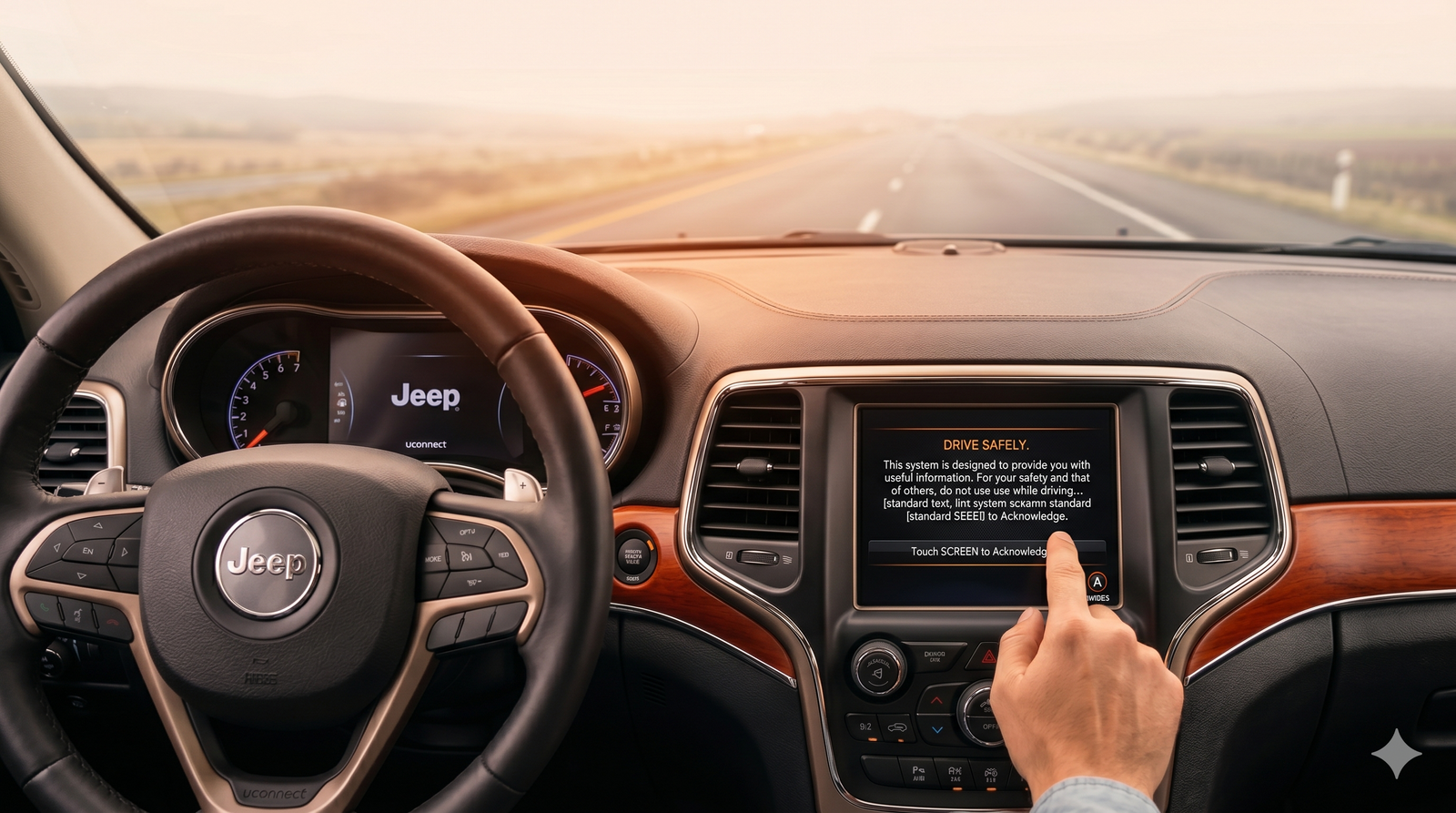
You start your Jeep, Dodge, Ram, or Chrysler. The Uconnect screen powers on, the warning disclaimer appears — and then nothing. It just sits there. You tap the screen. Nothing happens. You wait. Still nothing.
Before you assume the screen is dead or start getting quotes from the dealership, read this. In most cases, a Uconnect frozen on the disclaimer page is not a dead screen. Here's how to tell what's actually wrong and what to do about it.
What the Disclaimer Screen Actually Tells You
The Uconnect warning disclaimer is a startup screen the system displays before handing control to the user. To advance past it, you typically need to tap the screen to acknowledge the warning.
When the system freezes here, it tells you something specific: the display is working. The screen is showing an image. The LCD is alive. What's failing is either the touch input — the digitizer — or the software initialization process that should load after the disclaimer is dismissed.
That distinction matters because it changes the repair path entirely.
Two Reasons Uconnect Freezes on the Disclaimer Page
1. Software Crash or Initialization Failure
Uconnect runs on an embedded operating system that goes through a startup sequence every time the vehicle is turned on. If that sequence encounters a corrupted file, a memory error, or a failed process, it can stall at the disclaimer — the last visible checkpoint before the main interface loads.
This is a software problem. The screen itself is fine. The system just can't complete its boot sequence.
Signs this is your issue:
- The disclaimer image is sharp and clear
- The system has frozen here before and a restart fixed it
- The problem started after a software update or a battery replacement
- The freeze is intermittent — sometimes it loads, sometimes it doesn't
2. Digitizer Failure
The Uconnect disclaimer requires a tap to dismiss. If the digitizer — the transparent touch layer on top of the LCD — has failed, the system receives no input and simply waits. Indefinitely. From the driver's seat it looks like a freeze. What's actually happening is the system is waiting for a touch that never registers.
Signs this is your issue:
- The disclaimer image is clear but tapping anywhere on the screen does nothing
- Touch has been intermittent or unresponsive in other areas before this happened
- The screen has cracked, bubbled, or shown ghost touch issues recently
- A reset clears the freeze temporarily but it returns
Step 1: Try a Soft Reset
Before anything else, try a soft reset. This reboots the Uconnect system without affecting your vehicle settings or saved data.
On most Uconnect 4, 4C, and 4C NAV systems:
- Press and hold the volume knob and the tuner knob simultaneously
- Hold for 10–30 seconds until the screen goes dark and the system restarts
- Release and allow the system to reboot fully
On some models, the soft reset is triggered by holding the power button or a combination of the volume button and a function key. Check your owner's manual for the exact method for your vehicle.
If the system reboots and loads normally, you likely had a software crash. Monitor it. If it freezes on the disclaimer again within a few days, the software issue is recurring and needs further attention.
Step 2: Try a Hard Reset
If the soft reset doesn't work or the freeze returns repeatedly, try a hard reset by cutting power to the system entirely.
- Turn the vehicle off and remove the key
- Disconnect the negative battery terminal
- Wait at least 10 minutes to allow the system to fully discharge
- Reconnect and start the vehicle
A hard reset clears the system's volatile memory and forces a full cold boot. For software-related freezes, this is often the fix. If the disclaimer freeze comes back after a hard reset, the problem is not software — it's hardware.
Step 3: Diagnose the Touch Layer
If resets haven't resolved the issue, test whether the digitizer is working at all.
After the system boots to the disclaimer screen, try tapping in different areas — corners, center, edges. If none of them produce any response, the digitizer has likely failed. The system isn't frozen. It's waiting for input that the touch layer is incapable of providing.
You can also try pressing firmly rather than tapping lightly. A partially failing digitizer sometimes responds to more pressure. If firm pressure works intermittently, the digitizer is degrading and will fail completely soon.
What to Do If the Digitizer Has Failed
A failed digitizer on a Uconnect system means one thing: the touch glass needs to be replaced. The head unit itself — the radio, the navigation system, the audio processor — is all still functioning. Only the touch layer has failed.
This is a critical distinction because dealerships typically respond to any screen failure by quoting a full head unit replacement. That repair runs $1,500–$2,500 or more depending on the vehicle and trim level. In most cases, it is not what the vehicle needs.
Replacing just the digitizer restores full touch functionality for a fraction of that cost, with no programming required and no dealership visit needed.
What the repair involves
- Removing the trim panel surrounding the Uconnect screen
- Disconnecting the display assembly
- Separating or swapping the digitizer depending on the system
- Reinstalling and testing
Most owners complete this in under an hour. Cuescreens provides installation video guidance for each supported vehicle, and a nationwide installer network is available if you prefer professional installation.
When It Actually Is a Dead Screen
A truly dead screen presents differently from a disclaimer freeze. If your Uconnect shows no image at all — completely black, no backlight, nothing — that is an LCD or backlight failure, not a disclaimer freeze. If the screen flickers, shows lines, or displays a distorted image, the LCD may be failing.
In those cases, the repair path is replacing the LCD assembly rather than just the digitizer. But the head unit is still almost certainly fine.
The bottom line: if you can see the disclaimer image clearly, your screen is not dead. Something is preventing touch input or preventing the software from advancing. Both are fixable without replacing the entire system.
Affected Vehicles
The disclaimer freeze is most commonly reported on vehicles equipped with Uconnect 4, Uconnect 4C, and Uconnect 4C NAV systems, including:
- Jeep Grand Cherokee (2014–2021)
- Jeep Cherokee (2014–2021)
- Jeep Wrangler (2018–2021)
- Jeep Compass (2017–2021)
- Dodge Durango (2014–2021)
- Dodge Charger (2015–2021)
- Dodge Challenger (2015–2021)
- Ram 1500 (2013–2021)
- Ram 2500 / 3500 (2013–2021)
- Chrysler 300 (2015–2021)
- Chrysler Pacifica (2017–2021)
If your vehicle is not on this list, Cuescreens carries replacement screens for a wide range of additional makes and models at cuescreens.com.
Bottom Line
A Uconnect system frozen on the warning disclaimer page is almost never a dead screen. It is either a software initialization failure — fixed with a reset — or a digitizer failure that prevents touch input from registering. In both cases, the head unit is functional and a full replacement is not necessary.
Start with a soft reset. If that doesn't hold, try a hard reset. If the freeze persists and touch input is the problem, a digitizer replacement is the correct fix — and it costs a fraction of what a dealership will quote you for a full unit swap.
Frequently Asked Questions
Why is my Uconnect stuck on the warning disclaimer page?
Uconnect freezing on the disclaimer is almost always a software crash or a digitizer failure — not a dead screen. The display is working. Either the software can't complete startup, or the touch layer can't register the tap needed to dismiss the warning.
How do I get my Uconnect off the disclaimer screen?
Start with a soft reset: hold the volume and tuner knobs simultaneously for 10–30 seconds until the system reboots. If that doesn't hold, disconnect the battery for 10 minutes for a hard reset. If the freeze keeps returning, the digitizer has likely failed and needs to be replaced.
Is Uconnect frozen on the disclaimer screen a sign the screen is dead?
Not if you can see the disclaimer image clearly. A visible image means the LCD is working. The problem is either software or touch input — both of which are fixable without replacing the entire head unit.
Can I fix a Uconnect disclaimer screen freeze myself?
Yes. Software freezes are resolved with a reset. If the digitizer has failed, replacing the touch glass is a DIY-friendly repair that most owners complete in under an hour with no programming required.
Which Uconnect systems are most affected by the disclaimer freeze?
The freeze is most commonly reported on Uconnect 4, 4C, and 4C NAV systems in 2013–2021 Jeep, Dodge, Ram, and Chrysler vehicles.
About the Author
Daniel Gigante has over 18 years of experience in the automotive industry, with a focus on vehicle technology, infotainment systems, and real-world reliability. He writes about automotive design, touchscreen usability, and how modern technology impacts everyday driving.
![[Premium] Upgraded Gel-Free Cadillac CUE Replacement Touch Screen Display-Cuescreens](http://www.cuescreens.com/cdn/shop/files/7c1892_b5fcaf040dfe42abb289e47b1fa91ab9_mv2.png?v=1738265347&width=460)


![[Premium] Upgraded Gel-Free Cadillac CUE Replacement Touch Screen Display-Cuescreens. Supports Proximity Sensors.](http://www.cuescreens.com/cdn/shop/files/7c1892_7faa9297eab444d5a99838357b9c178c_mv2.png?v=1764720901&width=460)









